Puzzle

Sokoban Master

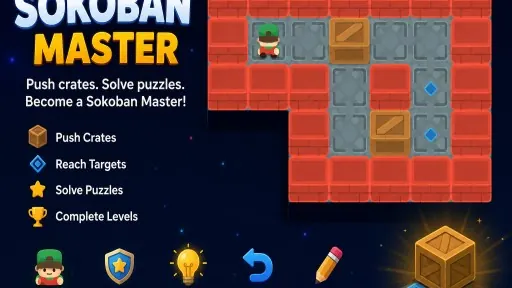
Sokoban Master is a classic puzzle game where you push crates onto targets, with increasing difficulty and a level editor.

Ready — press Play
Sokoban Master gameplay preview

The game loads only after you press Play.

About Sokoban Master

Sokoban Master is a challenging puzzle game that puts your logic to the test. Your goal is simple: push every crate onto its designated target spot. But remember, you can only push, never pull, so plan each move carefully to avoid getting stuck.

Master the Push-Only Mechanic

In Sokoban Master, each level presents a grid where you navigate a character to push crates. The core loop involves moving around obstacles, deciding the order to push crates, and avoiding dead ends. Since you can't pull crates, a single wrong move can make a level unsolvable, forcing you to undo and rethink your strategy.

As you progress, levels become more complex, introducing tighter spaces and more crates. You earn stars for efficient solutions, which encourages you to minimize moves. The game also tracks your progress and offers achievements for milestones. For creative players, the built-in Level Editor lets you design and share your own puzzles, adding endless replayability.

PLAY BETTER

Sokoban Master tips

  1. Think ahead: before pushing a crate, visualize its final position and the path you'll need to take.
  2. Avoid pushing crates into corners unless they are on target squares, as you may not be able to move them out.
  3. Use the undo feature liberally to experiment with different strategies without penalty.
  4. Try to clear a path for each crate before pushing it, to avoid blocking yourself.
  5. In the Level Editor, test your puzzles thoroughly to ensure they are solvable.
QUICK ANSWERS

Sokoban Master FAQ

What is the main objective in Sokoban Master?

The main objective is to push every crate onto its designated target position on the grid. You can only push crates, never pull them, so careful planning is essential.

How do I control the character in Sokoban Master?

On desktop, use the Arrow Keys or WASD to move. Press Z to undo a move. On mobile, use the on-screen D-pad by tapping the direction you want to move.

Can I create my own levels in Sokoban Master?

Yes, the game includes a built-in Level Editor that allows you to design your own puzzles. You can create custom layouts and test them to ensure they are solvable.