Racing

City Car Driver Mega Real Sim

Drive through detailed city streets in City Car Driver Mega Real Sim, a WebGL racing simulator with objectives and smooth browser controls.

Ready — press Play
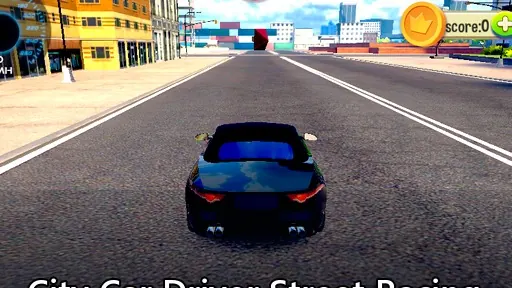
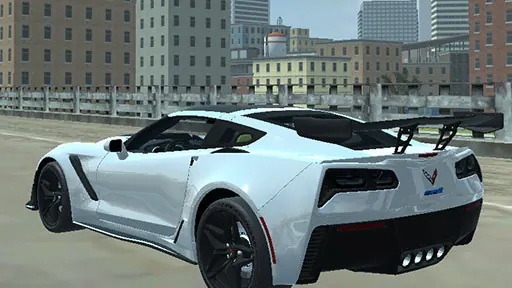
City Car Driver Mega Real Sim gameplay preview

The game loads only after you press Play.

About City Car Driver Mega Real Sim

City Car Driver Mega Real Sim puts you behind the wheel in a detailed 3D city environment. This WebGL driving game focuses on completing objectives while you master car handling. Explore the streets, follow the on-screen goals, and refine your driving skills for satisfying challenges.

Mastering City Driving Objectives

Your main loop involves steering through urban roads while keeping an eye on the current objective. Use the menus to select a level or restart when needed. The game rewards steady control and attention to the environment, so keep your speed manageable and react to turns smoothly.

As you progress, the challenges push you to improve your precision and timing. Each session offers a chance to learn the car's behavior and the layout of the city. With WebGL, the action runs directly in your browser, making it easy to jump back in for another run.
PLAY BETTER

City Car Driver Mega Real Sim tips

  1. Use the handbrake to navigate tight corners without losing control.
  2. Keep your speed moderate in unfamiliar areas to react to obstacles.
  3. Check the on-screen objective frequently to avoid missing a turn.
  4. Restart a level if you make a major mistake to save time.
  5. Practice smooth steering to maintain momentum through the city.
QUICK ANSWERS

City Car Driver Mega Real Sim FAQ

What is the main goal in City Car Driver Mega Real Sim?

The main goal is to complete the on-screen objectives while driving through the city. You select levels from the menu and work to finish each one successfully.

How do I control the car in the game?

You use the WASD keys or the Arrow keys to steer and drive. Pressing Space activates the handbrake for sharper turns or quick stops.

Can I restart a level if I make a mistake?

Yes, you can use the game menus to restart the current level at any time, which lets you try again without quitting the game.